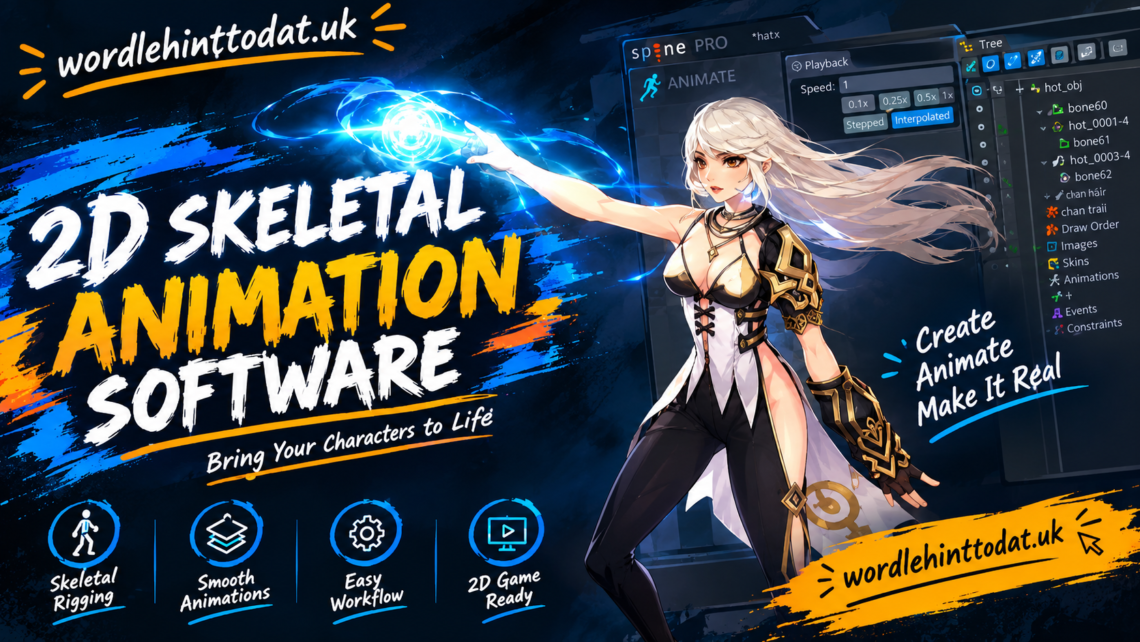
2D skeletal animation software helps artists, game developers, and content creators bring two-dimensional characters to life. Instead of drawing every movement frame by frame, users can create a digital skeleton, attach artwork to it, and control how different body parts move. This approach makes character animation more manageable and helps teams reuse their work across multiple scenes.
Whether you are creating a mobile game, an animated video, a cartoon, or an interactive application, choosing the right software can make a significant difference. Some tools focus on professional character animation, while others offer beginner-friendly interfaces or specialized features for game development.
In this guide, we will explain what 2D skeletal animation software is, how it works, which features matter most, and what to consider when choosing a tool. We will also explore popular software options, practical benefits, common limitations, and useful tips for getting started.
Table of Contents
- What Is 2D Skeletal Animation Software?
- How 2D Skeletal Animation Works
- Popular 2D Skeletal Animation Software
- Important Features to Look For
- Benefits of Using Skeletal Animation
- How to Choose the Right Software
- Tips for Creating Better Animations
- Frequently Asked Questions
- Conclusion
What Is 2D Skeletal Animation Software?
2D skeletal animation software is a type of animation tool that allows users to animate flat characters and objects through a system of connected bones, joints, and artwork. The bones act as controls for movement, while the attached images or shapes form the visible character. Animators can move, rotate, and scale these controls to create different poses and actions.
Traditional 2D animation often requires artists to draw individual frames for every movement. Skeletal animation offers another approach. Once a character has been prepared and rigged, the animator can reuse the same artwork for walking, running, jumping, talking, and other actions. This can reduce repetitive work, especially when a character appears throughout a game or animated production.
The software is useful for different experience levels. Beginners can use simple bone systems to animate basic characters, while experienced artists can build complex rigs with flexible joints, facial controls, and detailed deformation. The best choice depends on the type of project, the user’s skills, and the required output.
Who Uses 2D Skeletal Animation Tools?
Game developers are among the most common users of skeletal animation software. They can create character movement, enemy actions, animated objects, and interactive effects without producing a separate image for every frame. This is particularly useful when characters need several reusable actions.
Independent animators and small studios also use these tools for cartoons, promotional videos, explainer animations, and social media content. A well-designed character rig can make it easier to maintain consistent proportions and movement across multiple scenes.
Educators, hobbyists, and digital artists may use skeletal animation to learn character movement or experiment with interactive storytelling. Since different tools offer different levels of complexity, users can start with basic animation and gradually explore more advanced techniques.
How 2D Skeletal Animation Works
Understanding the basic process makes it easier to choose suitable software and plan an animation project. Although individual programs have different interfaces, most follow a similar workflow involving artwork preparation, rigging, keyframes, and final output.
The process starts with a character design. Artists usually separate the character into pieces, such as the head, torso, upper arms, forearms, hands, thighs, and lower legs. These pieces may be created in an illustration program and imported into the animation software.
Once the artwork is ready, the animator creates a skeleton and connects the bones. The character’s artwork is then attached to the appropriate bones or influenced by them through a process called rigging. The animator can set key poses and adjust the timing to create movement.
Understanding Bones, Joints, and Rigging
Bones are the controls that define how a character’s parts move. A bone in a 2D animation rig is a digital control rather than a physical object. For example, rotating an upper-arm bone can move the character’s forearm and hand, depending on how the rig is connected.
Joints determine how connected parts behave. A character’s elbow should bend naturally, while the neck should allow the head to turn without making the body look disconnected. Good joint placement helps create believable movement.
Rigging connects the artwork to the skeleton. Simple rigs may use separate image pieces, while advanced rigs can use mesh deformation to bend and stretch artwork. The quality of the rig strongly affects the final animation, so careful setup is important.
Creating Movement with Keyframes
Keyframes define important poses or movements at particular points in time. An animator might set a character’s standing pose at the beginning and a raised-arm pose a few frames later. The software can calculate intermediate positions to create a continuous motion.
Animators can adjust timing, spacing, and interpolation to change how movement feels. A quick arm swing creates a different impression from a slow, controlled movement. These adjustments are important because smooth motion depends on more than simply moving bones between two positions.
Once the animation is complete, users can preview it, correct awkward transitions, and export it in a suitable format. Depending on the software, the result may be a video, a sprite sheet, a sequence of images, or animation data for a game engine.
Popular 2D Skeletal Animation Software
Several established programs support 2D character rigging and animation. They differ in pricing, learning difficulty, export options, and integration with other creative tools. Comparing their main strengths can help narrow down the choices.
No single program is best for every project. A game developer may prioritize runtime performance and engine integration, while a cartoon animator may need flexible drawing tools and detailed timeline controls. Beginners may prefer a simpler interface over advanced technical features.
Before selecting a tool, check its current licensing terms, supported operating systems, export formats, and compatibility with your existing workflow. Features and prices can change between software versions.
Spine
Spine is a specialized 2D animation tool designed primarily for game character animation. It offers bone-based rigging, mesh deformation, animation mixing, and other features that help developers create reusable character movements.
Spine is particularly useful when a character needs many animations. A single rig can support walking, running, attacking, jumping, and idle movements. Developers can also combine animations in suitable runtime environments, depending on their implementation.
The software has different licensing options, so users should review the current terms before purchasing. It is especially worth considering for game development projects that need a dedicated skeletal animation workflow.
DragonBones
DragonBones is known as a 2D skeletal animation tool used for character rigging and animation. Its workflow centers on creating a skeleton, attaching artwork, and building reusable movement sequences.
Artists and developers have used DragonBones for animated characters and game assets. However, anyone considering it for a new project should check the current availability of official downloads, documentation, maintenance, and compatibility with their target platform.
This is important because older software may have limitations when working with modern development environments. Confirming support before building a complete production workflow can help avoid unnecessary migration work later.
Moho
Moho is a 2D animation program that supports bone rigging alongside drawing and timeline-based animation. It is suitable for artists who want to create character-based cartoons, short films, and other animated content.
Its combination of drawing tools and rigging features can help animators develop characters and control their movement within one environment. Depending on the version and workflow, users can work with vector artwork, image-based assets, and additional animation controls.
Moho is worth considering for creators who focus on finished animated scenes rather than only preparing assets for games. Beginners should compare its interface and learning requirements with other options before making a decision.
OpenToonz
OpenToonz is an open-source 2D animation application known for traditional and digital animation workflows. It can be useful for artists interested in drawing-based production and combining different animation techniques.
Its main strength is not the same specialized bone-rigging focus offered by dedicated skeletal animation packages. However, it may suit creators who prefer a broader animation environment and want to explore traditional frame-based techniques.
OpenToonz is an option for users who want an open-source tool, but they should check its current capabilities against their exact rigging requirements. A dedicated skeletal animation application may be more convenient when reusable bone-based characters are the main priority.
Unity 2D Animation Tools
Unity includes tools for 2D character rigging and animation within its game development environment. Developers can prepare character artwork, create bone structures, and animate characters as part of a broader game project.
One advantage is the ability to work within the same environment used to build the game. This can simplify testing character movement and connecting animations to gameplay logic. The exact workflow depends on the Unity version and the packages being used.
Unity is especially relevant for teams developing games directly in the engine. Artists who only need to produce animated videos may prefer a dedicated animation application instead.
Important Features to Look For
Choosing 2D skeletal animation software involves more than comparing screenshots or counting features. The most useful tool is one that supports your production needs without making everyday tasks unnecessarily difficult.
Start by identifying what you need to animate and where the final result will be used. A mobile game may require compact animation data and reliable runtime performance. An animated series may need more detailed facial movement, scene editing, and drawing controls.
It is also worth considering how the software fits into your existing pipeline. A powerful program can still create problems if it does not export assets in a format that your game engine or editing application can use.
Bone Rigging and Mesh Deformation
A good bone system should make it easy to create connected movements. Animators should be able to organize bones logically, control joint behavior, and adjust the hierarchy without rebuilding the entire character.
Mesh deformation is another valuable feature. Instead of moving only separate image pieces, an animator can bend or distort a mesh to create smoother movement. This can help with flexible clothing, curved limbs, facial expressions, and other details.
However, more advanced deformation may require additional setup and performance testing. Simple characters do not always need complex meshes, so choose a level of detail that suits the project.
Timeline and Animation Controls
A clear timeline helps users organize keyframes, manage animation duration, and control transitions. It should be easy to find important poses and adjust when each movement begins or ends.
Useful controls may include animation looping, playback speed, curve editing, and tools for blending between different actions. These features can improve the quality of movement and reduce the need to create separate animations for every situation.
Preview tools are also important. Being able to test a walk cycle or attack animation quickly helps identify timing issues before assets are exported. For longer projects, a well-organized timeline can save considerable time during revisions.
Export and Game Engine Compatibility
Export options are particularly important when the animation will be used outside the software. Some tools can export video files or image sequences, while others can produce sprite sheets and structured animation data.
Game developers should verify that the target engine supports the chosen runtime or export format. They should also check whether the workflow requires additional packages, licenses, or code integration.
Compatibility should be tested early rather than at the end of production. Creating a small test character and importing it into the target application can reveal technical limitations before a large amount of work is invested.
Benefits of Using Skeletal Animation
One major benefit of skeletal animation is the ability to reuse character artwork. Once the character is rigged, an animator can create many movements without redrawing every body part for every frame. This is particularly useful for games with several characters or repeated actions.
Another advantage is consistency. A reusable rig helps preserve a character’s proportions between different movements. Animators can also make revisions by adjusting bones or keyframes rather than recreating an entire sequence from scratch.
Skeletal animation can also support interactive applications. In a game, the same character may need to react to player input, change direction, or move between different states. Reusable animation sequences can make these systems easier to manage when the software and runtime support the required behavior.
Faster Production and Easier Revisions
Rigging requires an initial investment of time, but it can reduce repetitive work during later stages. Once the rig is ready, changing a pose or creating another movement may be much faster than drawing every frame manually.
Revisions are often simpler too. If a character’s arm needs to move higher, the animator can adjust the relevant bone and keyframes. If the character appears in multiple scenes, the same rig may be reused to maintain consistency.
The actual time savings depend on the project. A short animation with unusual movements may be faster to draw frame by frame, while a game character with dozens of repeated actions may benefit more from a reusable rig.
Reusable Characters for Games
Games frequently require characters to perform several actions under different conditions. A player character may need idle, walking, running, jumping, climbing, and attack animations. Skeletal animation can help organize these actions around one character rig.
This approach may also make it easier to blend movements when supported by the software and game runtime. For example, a character may transition from walking to running without switching abruptly between unrelated poses.
Developers still need to test performance and animation quality on their target devices. Complex rigs, large numbers of animated characters, and expensive deformation operations can affect performance, so efficient asset design remains important.
Limitations to Consider
Skeletal animation is not ideal for every visual style. Highly expressive motion, rapidly changing shapes, or hand-drawn effects may require frame-by-frame animation to achieve the desired result.
Rigging also introduces technical work. Artists must separate artwork, establish bone relationships, adjust deformations, and test movements. A poorly designed rig can create awkward bends or unnatural poses.
For this reason, many productions combine skeletal and frame-by-frame techniques. A character may use a bone rig for walking while using hand-drawn frames for an expressive face, a magical effect, or a complex action. Combining methods can provide a useful balance between efficiency and artistic control.
How to Choose the Right Software
The best 2D skeletal animation software depends on your goals, technical experience, and budget. Before comparing individual products, decide whether you primarily want to create games, animated videos, cartoons, or reusable character assets.
For game development, prioritize runtime compatibility, export options, and support for reusable animation states. For cartoons and short films, focus on drawing tools, facial animation, timeline controls, and the ability to create polished scenes.
Beginners should also consider how easy the software is to learn. A tool with a clear interface and useful tutorials may be more practical than a highly advanced application that takes considerable time to master.
Compare Cost and Licensing
Some animation tools are free or open source, while others require a paid license. Pricing models may include one-time purchases, subscriptions, or different editions with separate feature sets.
Do not compare tools on price alone. Check whether the license permits commercial work, whether exports have restrictions, and whether additional runtime licenses or packages are needed. These details matter if you plan to publish a game or sell animation services.
If your budget is limited, begin with a free option that meets your essential requirements. You can move to a more specialized product later if your projects demand additional capabilities.
Test the Workflow Before Committing
A practical way to evaluate software is to create a small test character. Separate the artwork, build a simple rig, animate a short walking cycle, and export the result.
This exercise reveals how easy it is to create bones, adjust joints, control timing, and correct movement. If you are developing a game, import the animation into your engine and test it in the actual environment.
You should also examine the learning resources available for the tool. Official documentation, example projects, and active community discussions can make troubleshooting easier. A software package that fits your workflow and has useful support may be a better long-term choice than one with more features but a steep learning curve.
Tips for Creating Better Animations
Good software helps, but animation quality still depends on planning and execution. Before building a complex rig, study how the character should move and decide which actions are most important for the project.
Start with a simple skeleton and test the main joints. Make sure the shoulders, elbows, hips, and knees bend naturally before adding advanced controls. Correcting structural problems early is easier than fixing them after many animations have been created.
Keep the rig organized as well. Clear bone names and logical hierarchies make it easier to understand the character later, particularly when other artists or developers need to work with the same project.
Prepare Artwork Carefully
Separate body parts in a way that supports the intended movement. For example, the upper arm and forearm should have enough overlapping artwork to avoid visible gaps when the elbow bends.
Pay attention to joint placement. If a bone is positioned far from the natural pivot point, the character may rotate unnaturally. Check the shoulders, hips, wrists, ankles, and neck during the setup process.
For mesh-based rigs, review how the artwork deforms around important joints. Adjust the mesh or weights when necessary, and avoid adding unnecessary complexity to areas that barely move.
Focus on Timing and Natural Movement
A technically correct rig can still produce stiff animation. Natural movement depends on timing, spacing, anticipation, and the way a character accelerates or slows down.
Study reference footage or observe real movement when creating actions such as walking, jumping, or turning. You do not need to reproduce every detail, but understanding how weight shifts can make a character feel more convincing.
Test animations at different speeds and watch for sudden changes in direction. Small timing adjustments can improve readability and make actions feel more deliberate.
Keep Performance in Mind
If your animation is intended for a game, consider how it will run on the target hardware. Avoid unnecessary bones, oversized textures, and overly complex deformation when simpler solutions can achieve the same result.
Test animations with multiple characters on screen if the game requires it. A rig that works well for one character may need optimization when many characters appear simultaneously.
Finally, establish a consistent export and naming process. Organized files and clearly named animation clips make projects easier to maintain, especially when a team needs to update assets throughout development.
Frequently Asked Questions
1. What is the best 2D skeletal animation software?
The best option depends on your needs. Spine is worth considering for dedicated game character animation, Moho suits many cartoon and character-animation workflows, and Unity offers integrated 2D rigging tools for projects built in its engine. Compare features, licensing, and compatibility before deciding.
2. Is 2D skeletal animation software suitable for beginners?
Yes. Beginners can start with simple characters and a small number of bones. Learning basic rigging, keyframes, and joint movement provides a foundation for more advanced techniques. Choosing software with clear tutorials can make the learning process easier.
3. Is skeletal animation better than frame-by-frame animation?
Neither method is universally better. Skeletal animation is useful for reusable movements and consistent characters, while frame-by-frame animation provides greater control over individual drawings. Many projects combine both techniques to achieve their desired style.
4. Can I use 2D skeletal animation software for game development?
Yes. Several tools support game character animation and can export assets or animation data for compatible game engines. Before choosing a tool, verify that its export workflow and runtime support your development environment.
5. Is free 2D skeletal animation software available?
Yes. Free and open-source options are available, although their capabilities and workflows vary. Some tools focus on traditional animation, while others support rigging or related character-animation techniques. Check current documentation and export capabilities to ensure the software meets your requirements.
Conclusion
2D skeletal animation software provides a practical way to create reusable character movements for games, cartoons, videos, and interactive applications. By combining bones, joints, rigging, and keyframes, animators can control character movement without drawing every frame individually.
Tools such as Spine, DragonBones, Moho, OpenToonz, and Unity offer different approaches to animation. The right choice depends on the project’s goals, the required level of control, the available budget, and compatibility with other applications.
Before committing to a particular program, test its workflow with a simple character and a short animation. Consider both its creative features and its technical limitations. With suitable software, careful rigging, and attention to movement, you can create polished 2D animations that are easier to reuse, maintain, and improve.